Recently I had quite a few downloads from China. As I later found out, those downloads were fake. I decided to write this post to share my experience with you. And if someone have already had the same experience maybe they’ll share their knowledge with me about what is going on and how to deal with it.
How it all started
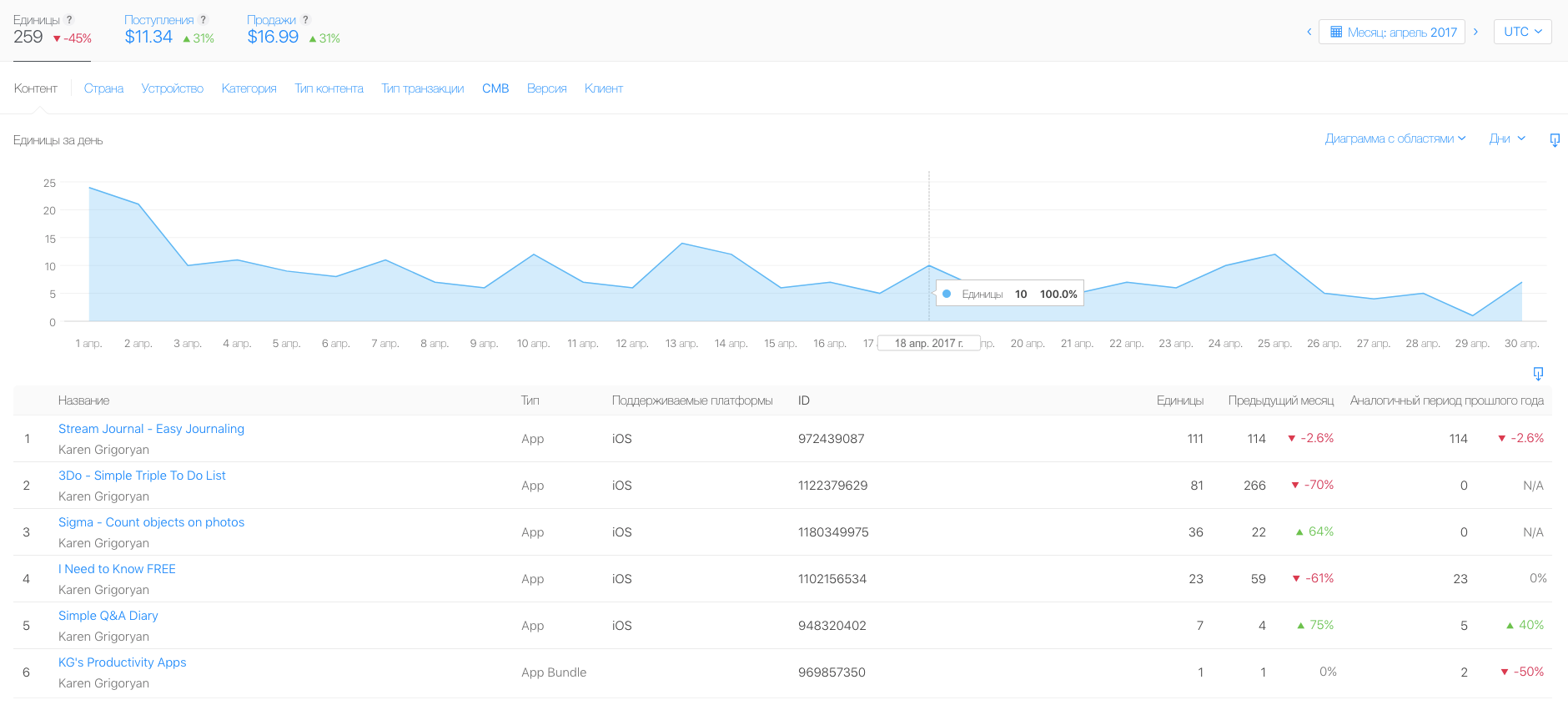
First of all let me show you what my app downloads normally look like. This is my stats for the month of April 2017. As you can see, I normally have around 10 downloads per day.
Lets see what happened the next month
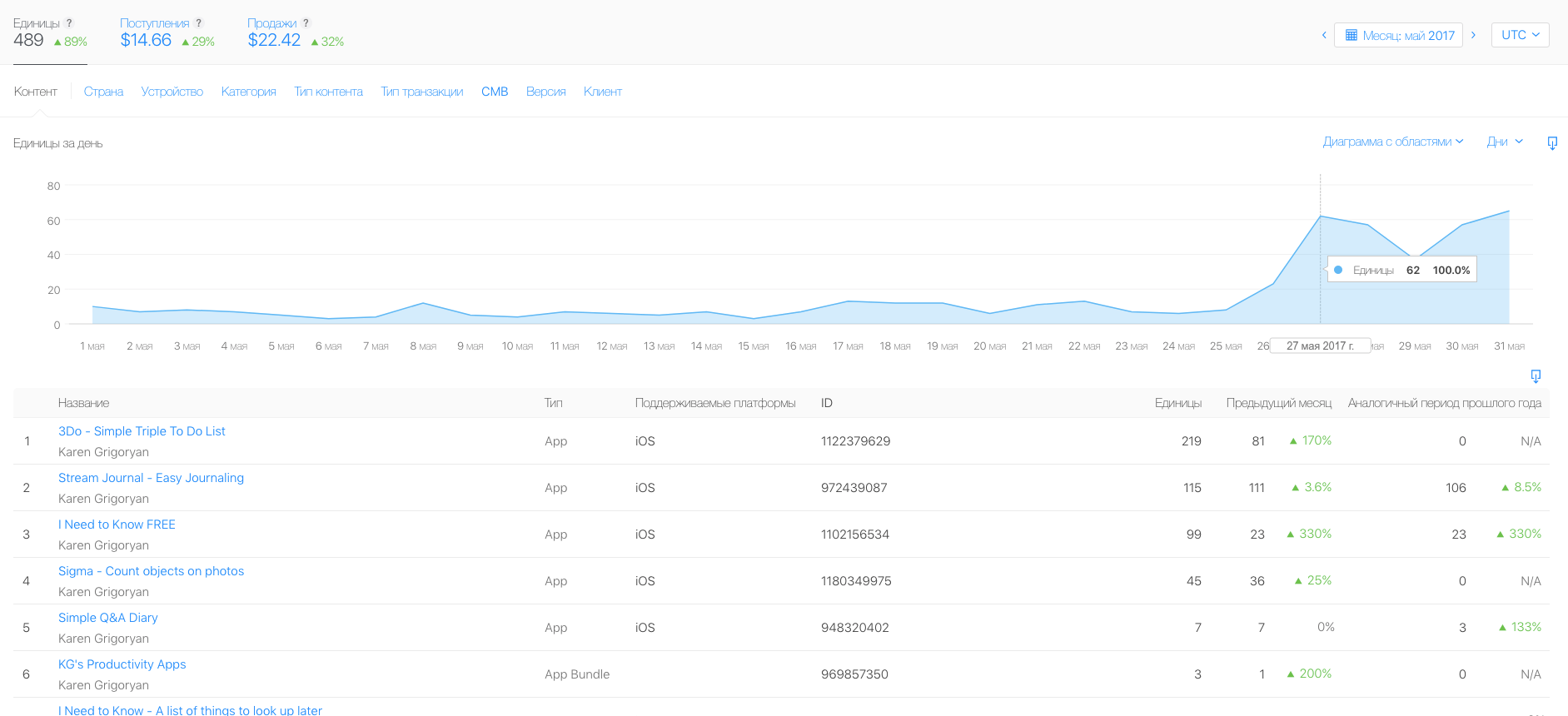
In May 2017 it was the same until the end of month when the number of downloads rose from 10 downloads per day to 50-60 downloads per day. I learned that the extra downloads were from China. OK – I thought – Chinese people have discovered my apps at last. And there are a lot of Chinese people out there so nothing surprising. By the way, the app that was downloaded the most at that time was 3Do.
Third month
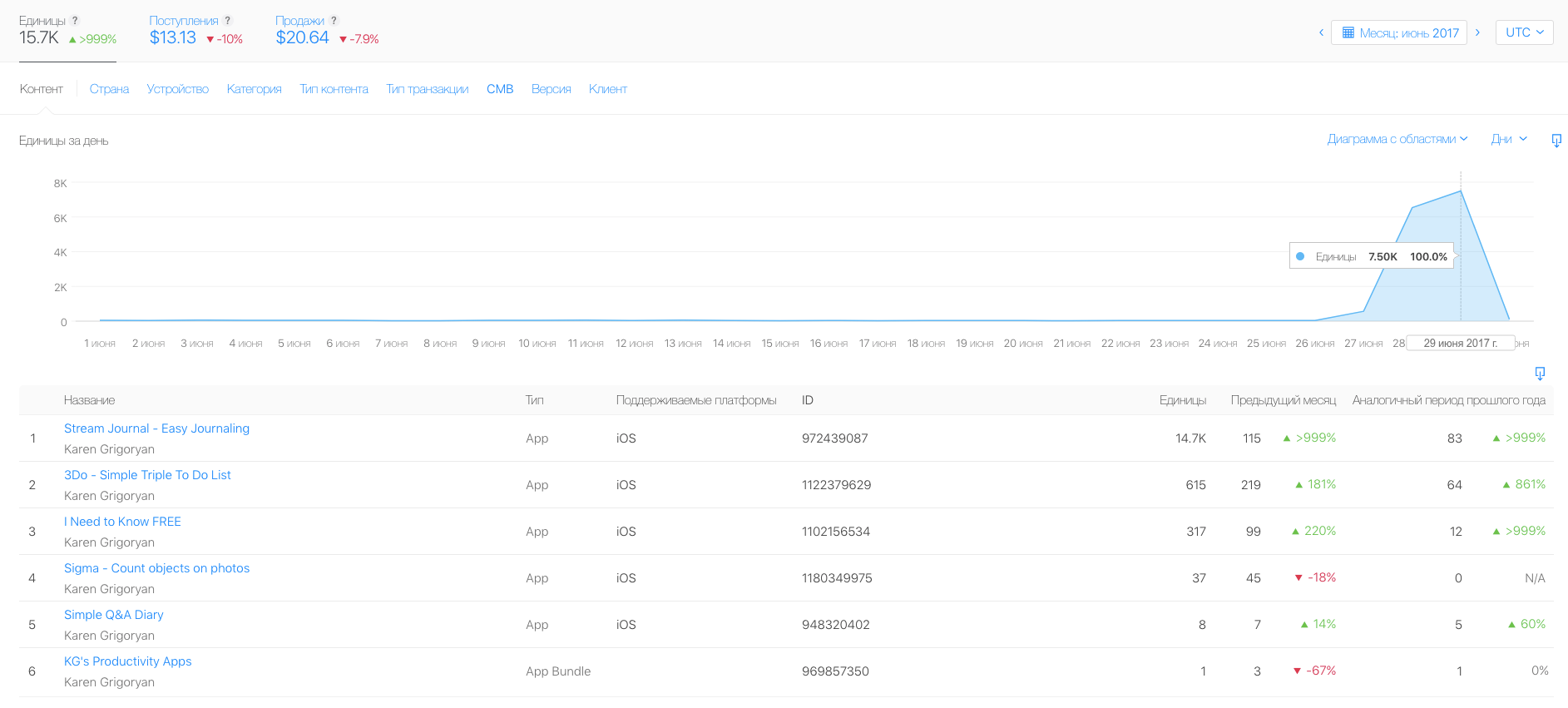
The number of daily downloads was about the same for the next month. But in the very end of June I experienced a surge of downloads. One day it was 568 downloads total. The next day it was 6,54K. The day after – 7,50K. Now it was my other app – Stream Journal – that was downloaded the most. And all these downloads were once again from China.
This time I decided to check my stats in Google Analytics, since I have implemented Google Analytics in Stream Journal but haven’t done it in 3Do yet. What I found out is that with all those downloads there was not a single app launch from China.
The possible explanation
I tried to find the explanation to this fake downloads mystery on the internet. But all I could find was other people complaining about having similar experiences with app downloads from China and other asian countries. It all reminded me of a video I once saw on Youtube about Chinese like farms. A like farm or click farm looks something like this.
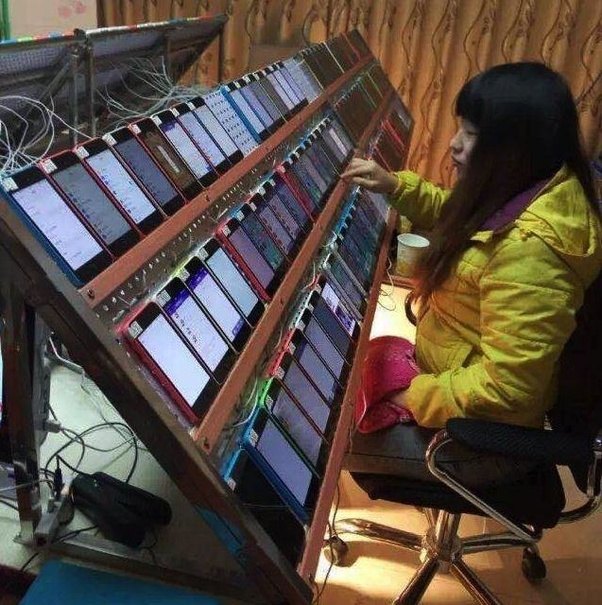
You just pay for your fake Facebook likes and they give you your likes. But as the video explained they can’t just like only the stuff they were paid for, because in that case they would be easily found out. So they also like some other random stuff.
So, my hypothesis is that exactly the same thing has happened with my app downloads. It may be that one of those click farms found out my apps and used them to make their statistics look unsuspicious to Apple.
Here is the said video, by the way:
What I did about it
At first I put a price of $1 on my Stream Journal app just for one day to see what happens. What happened is that nobody bought my app that day. I made it free the next day. And there was about 100 downloads. Eventually I decided to make all my free apps unavailable in China. Sorry, Chinese people, I just don’t want your click farms to mess up my stats.
Now I enjoy the usual 10 app downloads per day.